




C&R Beauty
Makeup tutorials, GRWM, hauls and unboxings.
Launching soon
Turn long streams and podcasts into Shorts, automatically.
No card required. Your file stays in the browser until you export or publish.
Open the editor as a guest, cut your first Short, then pick a plan when you want cleaner exports and publishing.
Built for streamers and podcasters who want the tightest moments out of a long recording, the same day.
Upload a stream, a podcast or any MP4 you own. It is processed in your browser.
Energy, laughter and silence are scored in the open, so you can see why a beat was picked.
Trim, split, auto-crop to 9:16, and add word-by-word captions plus music that ducks under the voice.
Download a Short the same day, or send it to YouTube from the studio desk.
Nothing to click. This is the pipeline running on a sample recording right now: it finds the moment, reframes to vertical, captions every word, dresses it in a channel look, adds the crew, checks originality and forecasts the numbers. Drop your own MP4 on it and it runs on yours, in this tab.
Hook score per 0.25s▮ window · ▲ payoff · //// dead air cut
Scored once the edit is built.
Sample is our own recording. Your file is analyzed in this tab and never uploaded unless you export or publish.
Timeline, waveform, captions, music and export — built to run on an MP4 you drop in. No render farm required for the first Short.
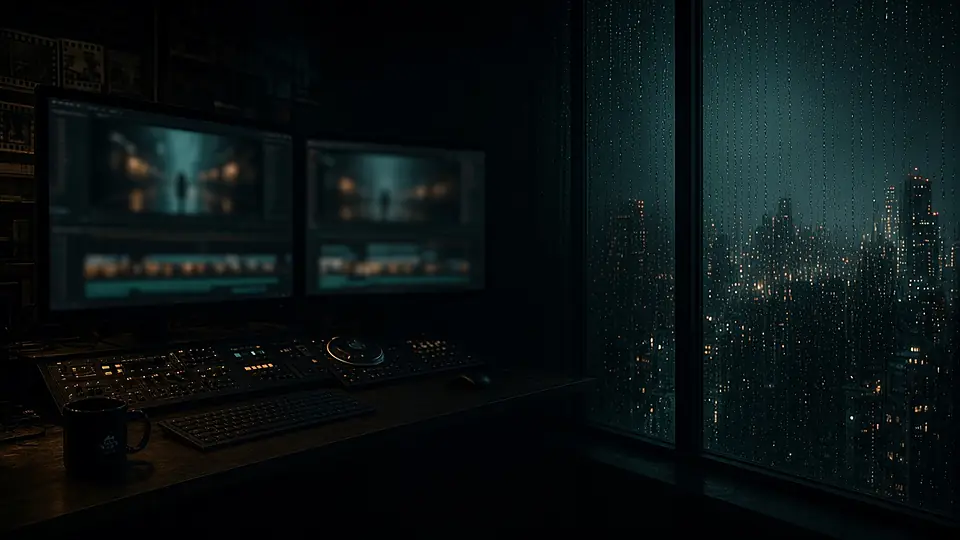
Multitrack timeline with a waveform, drag-to-trim, split, face-tracked 9:16 / 1:1 / 16:9 reframes, and word-by-word captions you can style and export in the browser.
Energy, laughter and silence are scored with heuristics you can read. Pick a peak, or let a template stitch the top ones.
A lead-in bed under the voice, or drop your own track. The music steps back when someone is talking.
Suggestions from the transcript and the moment, ready to paste onto the Short.
Record the reframed, captioned cut in the browser. Free plans carry a small watermark at 720p.
View velocity and breakout signals from official APIs, for when you are hunting the next cut.
Start from a layout, then tighten the timeline by hand. Keyboard shortcuts stay close.
The Clip It & Rip It family, each cut for a different kind of night. The main channel is live. The rest open as they ship.


Gaming, streamers and viral moments.
Watch on YouTubeMakeup tutorials, GRWM, hauls and unboxings.
Launching soon

Fashion, fits and outfit tips.
Launching soon

Couture, influencers and travel.
Launching soon

Setups, streams and wins.
Launching soon

The athletes running the game.
Launching soon

Podcasts, interviews, business and motivation.
Launching soon

True crime, documentaries and real stories.
Launching soon

Food reviews, first bites and late-night plates.
Launching soon

Close-mic bites, pours and quiet kitchen sound.
Launching soon

Recipes, technique and time in the kitchen.
Launching soon

ASMR, haircuts and satisfying cuts.
Launching soon

Sports, combat and fitness.
Launching soon

Family-safe clips for younger viewers.
Launching soon

Business and finance.
Launching soon

Tech, tools and what they change.
Launching soon

Gaming highlights and long-session cuts.
Launching soon

Live game streams and the best moments, clipped.
Launching soon

Music, performances and studio sessions.
Launching soon

Comedy, stand-up and the bits that land.
Launching soon

Countdowns of the clips that stuck.
Launching soon

Anime, manga breakdowns and the stories behind the fights.
Launching soon

E-bike culture — wheelies, builds and street rides.
Launching soonEvery plan opens the full editor. Upgrade for resolution, no watermark, and publishing.
We cut a pack of 10 clips from footage you own. One-time, not a subscription.
Checkout is in Stripe test mode until live keys are added — no real charges yet. Use a Stripe test card. Agency is custom, quoted separately. Marketplace payouts carry a platform fee.
You drop a long stream or podcast (an MP4 you own). The studio finds the loudest, funniest and tightest moments, helps you reframe them for 9:16, 1:1 or 16:9, writes word-by-word captions, and exports a Short you can post.
Editing, waveforms, moment scoring and export all run in your browser. We only send audio if you ask for a server-side transcript or title suggestions, and only the footage you later choose to publish leaves your machine.
We measure energy (how loud and sudden a beat is), a laughter-shaped signature (high energy with a rough, bursty texture), and silence. Each recommended cut shows its reasons. If a transcript is available, filler words and weaker stretches can be flagged for a cleaner take.
The full editor, including trim, split, reframe, captions, music ducking and export. Free exports are 720p with a small Clip It & Rip It watermark. Creator and Pro remove the watermark and raise the resolution. Checkout is still in Stripe test mode until live keys are added — no real charges yet.
Yes, from the studio desk, through official YouTube APIs, once you connect a channel you control. The main Clip It & Rip It channel is already live; network channels open as they ship.
Yes. The editor is built for desktop first and is usable on mobile. You can also install the site as an app on iPhone and Android from the Get the app section.
Streamers, podcasters and clippers who want a finished Short out of a long recording the same day. Upload only footage you own or have clearance to cut.
Brands and creators post long-form with a budget. Vetted clippers cut in the studio and earn per approved clip or per view.
Plans the day, routes jobs, enforces budgets.
Early signal, breakouts, top creators, cross-border finds.
Ranks energy, laughter and silence on the timeline, with optional transcripts.
Cuts, reframes, captions and exports in the browser.
Lead-in beds mixed under the voice, with ducking.
Narration, hooks and dubs in new languages.
Titles, labels and posts through official YouTube APIs.
Learns from every post and retunes the model.
Founder
Founder
Install Clip It & Rip It on your phone and open it like any other app.
Open this site in Safari, tap Share, then Add to Home Screen.
In Chrome, tap Install when it appears, or use the button below.
On iPhone, use Share, then Add to Home Screen.
The app is on your Home Screen.
One email for product notes. No spam. Or skip the list and try the studio now.